Tab Tiling is like Chrome’s split view on steroids. It lets you bring multiple web pages together into a single tab, in all sorts of different configurations, simply by dragging and dropping ’em wherever you want — or, alternatively, right-clicking on a link and choosing to open it as a tiled tab from there.
Tab Tiling creates a whole new way to work on the web.
JR Raphael
It’s the kind of creative versatility the browser world has been missing for far too long and the type of productivity advantage you won’t want to give up once you get in the habit of having it.
Vivaldi advantage #7: Privacy, privacy, everywhere
Aside from all the surface-level practical advantages, Vivaldi excels in an area that’s increasingly important to lots of professionals these days — and that’s privacy.
Specifically:
- The browser includes built-in access to the Proton VPN service, which you can enable or disable anytime with a quick click. It’s completely free to use, too, without any limits (and with the option to upgrade to Proton’s paid premium plan for a variety of extras, if you want).
- It includes a native ad and tracker blocking system that’s off by default and can be enabled either web-wide or on a case-by-case basis.
- And it has a location override setting that makes it simple to protect your actual geographic location by choosing any other location, which websites will then be shown when they try to sense your whereabouts.
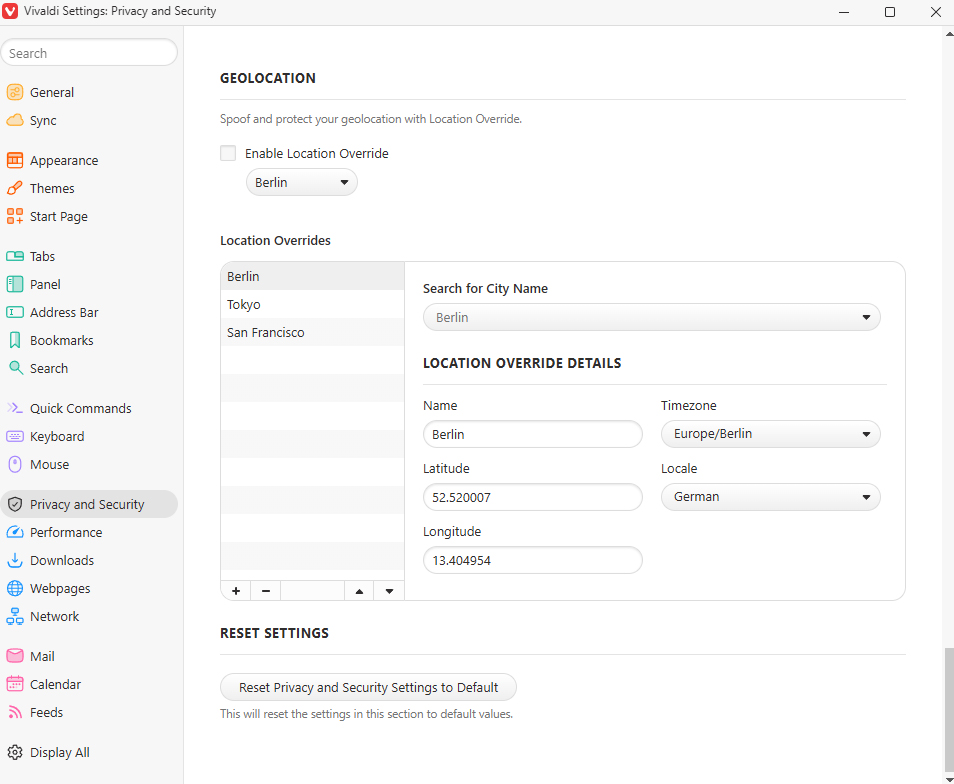
Being able to override your perceived location right within your browser is a pretty powerful advantage.
JR Raphael
The best part about all of these features is the way they’re implemented and the choice that approach affords you. You can decide where, when, and how you want to use any of them. Nothing is forced on you or enabled by default.
And on that note, last but not least…
Vivaldi advantage #8: Extreme customization
In addition to all the specific standouts we’ve gone over, what’s refreshing about Vivaldi is how much control it gives you over practically every facet of your browser experience — something that is not the case with Chrome or other more traditional browsers.
Every interface detail you can think of can be customized and changed within Vivaldi’s settings, ranging from the appearance of the address bar to the specific contents and layout of the menus.
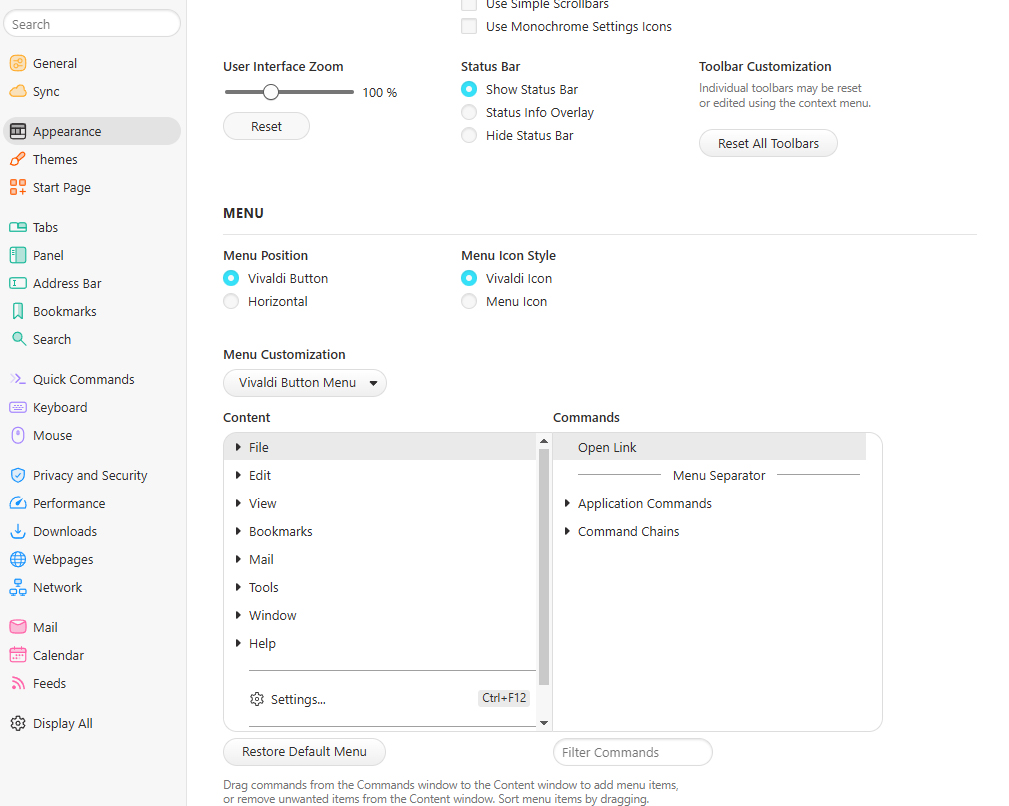
Vivaldi lets you control even the tiniest of details about your browsing experience — if you’re so inclined.
JR Raphael
If there’s some element of your browser you don’t like or you think should work differently, odds are, Vivaldi will let you adjust it to your exact specifications.
More than anything, remember: Adapting to a new browser isn’t easy. Take the time to get familiar with Vivaldi’s interface and features, though, and you might just find yourself delighted by your new virtual office, as I’ve been, rather than just quietly accepting the way you’ve always known it.
Read the full article here