


If Palworld’s 1.0 launch has brought you back for a fresh round of legally distinct Pokemon—as it’s done for millions of other players—you’re going to be crafting a lot of items. Thousands and thousands of items.
Luckily, while the game would normally expect you to hold the F key for the duration of every building and crafting interaction, there’s a way to spare your finger the combined ache of every straw Pal bed and roasted berry. And no, you don’t have to buy a 100g weight to hold down F for you like this hapless soul on Reddit did. You just need to switch two settings.
TIL that I’m stupid 🙃
from r/Palworld
How to stop holding F to build in Palworld
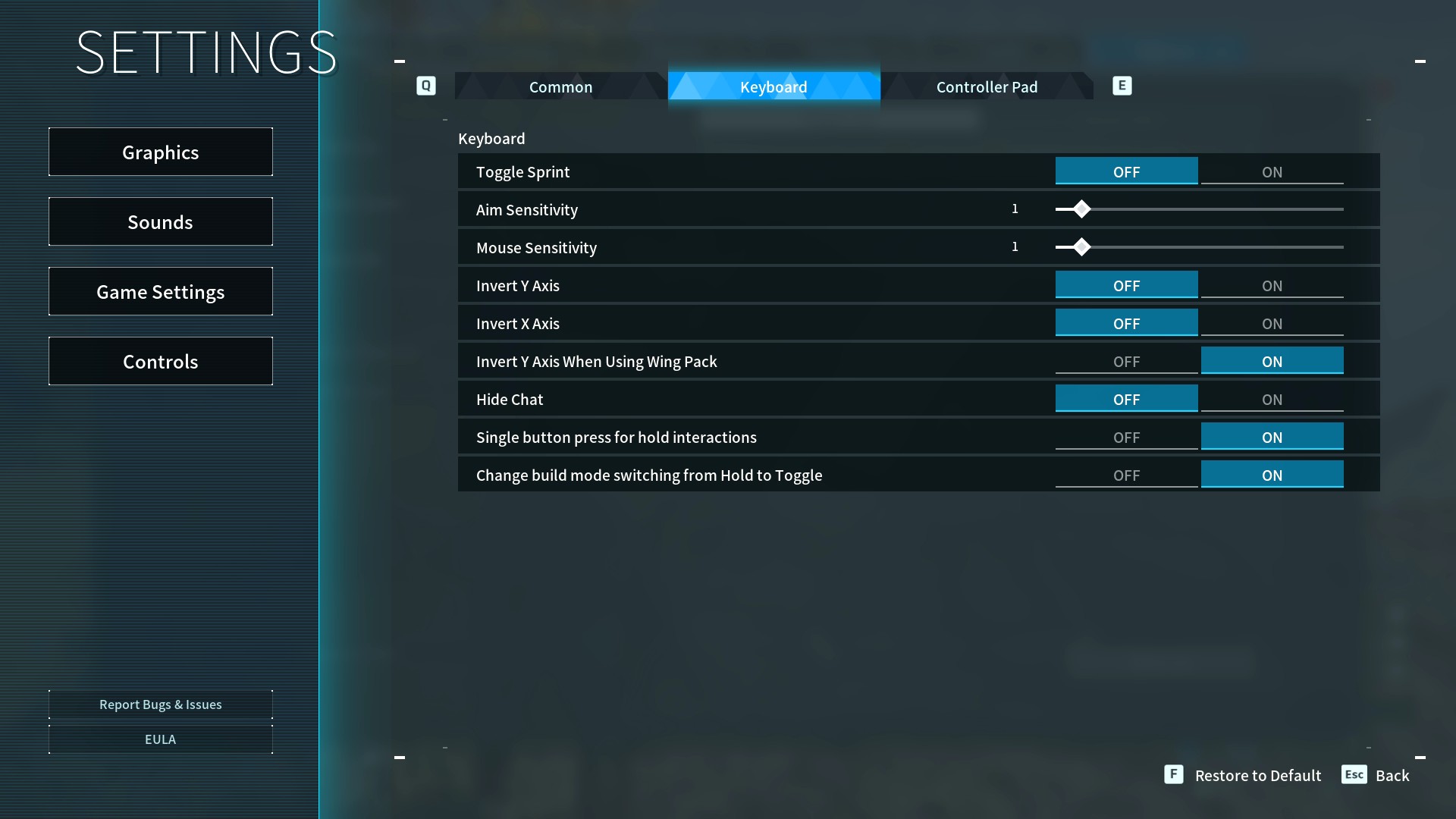
To liberate your digits from prolonged F presses, hit Esc to open the menu, then select Options > Game Settings. Move over to the Keyboard tab (or Controller tab, if that’s your style) and turn both “Single button for hold interactions” and “Change build mode from Hold to Toggle” to ON.

Make sure you’ve enabled both options; the former only affects interactions in the world, but you’ll be left having to manually hold F for crafting and building back at base if you don’t turn the latter on as well.
Hit Esc once more, and select YES to apply and save your selections. And there you go! No more overtaxing your index finger whenever there’s something you can’t leave for your Pals to finish.
I’ve seen some reports from players who say those settings won’t stick after closing the game, but I haven’t run into that issue on my end. Might be worth a double check at the start of your next few sessions once you’ve made the switch, just to be sure.
Otherwise, go—live deliciously. Bask in your regained seconds of manual freedom. Think of all the bad posts you’ll be able to scroll on your phone while slapping together your next batch of Pal Spheres. Has there ever been a truer form of luxury?
Read the full article here