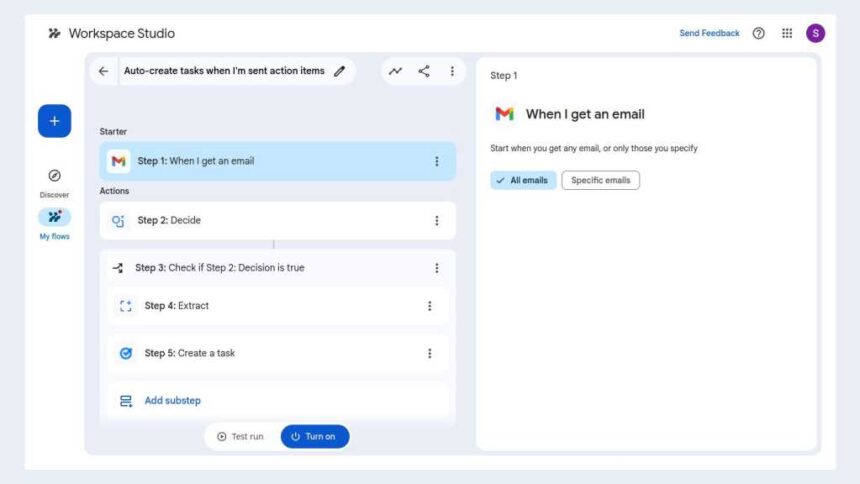
Manage your flows
On the toolbar along the left, click the My flows icon. A list of your flows will open to the right in the main window.
You can manage your flows on the “My flows” page.
Howard Wen / Foundry
Click the three-dot icon to the right of a flow’s name. This will open a menu with selections for you to manage the flow: Edit, Make a copy, Activity, Turn off, Delete.
- Edit will open the builder tool page for the flow. Its starter and steps will be listed in the main pane, and the descriptions for each appear in the right pane. You can make changes to each or delete them.
- Make a copy is handy if you want to create a new flow that’s a variation of the original one. You can make a copy, give it a different name, and customize it.
- Activity opens a page in the main window that shows when the flow was most recently executed and whether it was successful.

Reviewing the activity for a flow.
Howard Wen / Foundry
Clicking the Activity tab on the “My flows” page takes you to a page that lists the activities for all your flows.
To share a flow with others in your organization, select it in the list of flows, then click Get a link to copy at the top of the page. Change the permission to Anyone in your organization with the link can make a copy, then click Copy link. You can share the link with co-workers via email or in Chat.
Using the Studio sidebar in Workspace apps
In Gmail and Google Chat, you can open a sidebar that helps you manage your flows. Look to the upper-right corner of the Workspace app for the Studio icon — it’s between the Settings gear icon and Ask Gemini nova star. Click this and the Studio sidebar will open along the right. It has three tabs in it:
Discover: Like the Workspace Studio home page, this tab presents suggested flows that are ready for you to activate.
When you add a new flow by selecting a template in the Discover tab, you’ll be taken to the flow builder tool in the Workspace Studio app. You have to customize and test run it from here before you can activate it.
My flows: This lists your flows. You can delete, edit, rename, or share them from this tab.
Activity: This tab shows the activity log of your flows — when they went into action and the steps that they took.
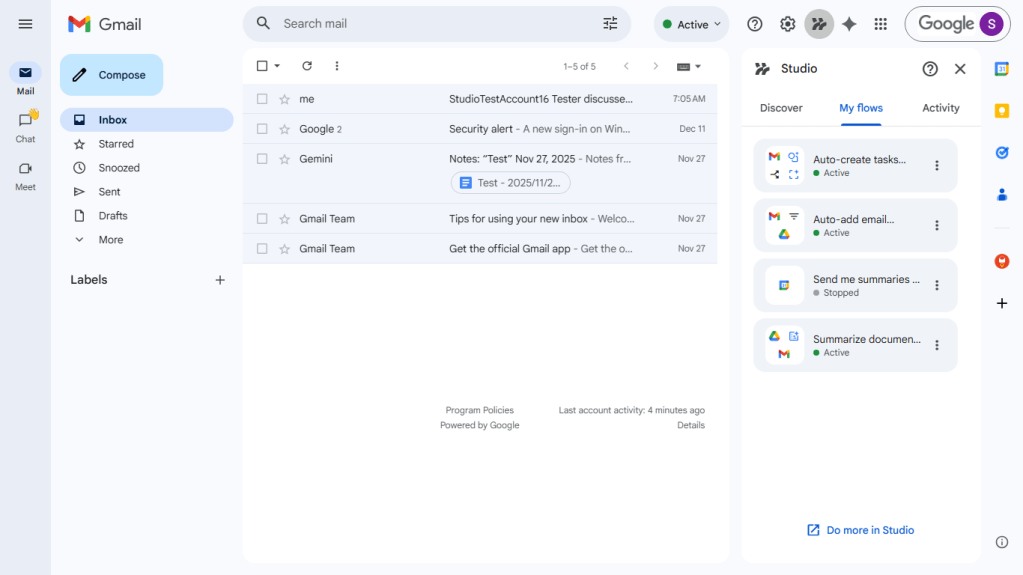
The Studio sidebar lets you manage flows from within Gmail and Google Chat.
Howard Wen / Foundry
Tips for building flows
Learn by example: Select a flow template and customize it in the tool builder. This will help you learn how a flow works.
Reference files: Use the @ to directly reference a file in your Google Drive when you’re customizing a step in the flow builder tool or writing a Gemini prompt to generate a flow.
Experiment: Don’t be afraid to experiment with your prompts to Gemini. Describe the flow you want, using everyday language. Remember, your prompt should answer what, when, and where.
Review flow activity: After a flow is executed, review its activity log to understand how it played out its steps.
Related reading:
Read the full article here