
If you’re trying to fix the Power Plant in Subnautica 2, you’ve likely realised that you need to power up the area in order to access the Observatory—that big tower near the Alien Ruins. This is your big story objective in early access, and actually concludes the narrative so far when you do get inside, teasing some future content and updates.
Actually repairing the Power Plant is very resource-intensive, and requires many of the upgrades you’ll find in the region, making it the culmination of your journey through the alien ocean so far.
How to repair the Power Plant in Subnautica 2
To enter the Observatory, you first have to repair the Alien Power Plant, the huge structure above the Angel Comb that dominates the Alien Ruins region. There are multiple stages to this, so I’ll walk you through each, though it’s worth noting that you’ll need the Tadpole Depth module to do any of this.
1. Clear the Angel Comb and get Axum Vision
Your first step is to clear the Angel Comb in the Alien Ruins, the center of which is to the east of Research Base, if you follow the big purple tube. All of the details you need are in that linked guide, including videos showing each of the viral bloom locations. To destroy each of these, you’ll need to unlock the Feedback Resonator upgrade for your Sonic Resonator, as this allows you to destroy the flowers from a distance so they don’t close up.
After you’ve cleared the comb, acquire the Axum Vision Adaptation, then head inside the alien control room built into the wall of the crater, overlooking the Angel Comb. Interact with the console at the centre by the window to fix the first stage of the Power Plant.
2. Repair the Alien Turbine and restart the Power Plant
Your next step is to repair the giant Alien Turbine above the Angel Comb. Drive directly upwards onto the big circular structure and move around to the east side of its circumference, where you’ll find a few colony crates and a blue light, above a broken turbine you can scan.
Scanning the turbine reveals it was sabotaged (presumably by the colonists) and you’ll need a lot of materials to repair it, namely:
This is a huge number of resources, but to break it down, this is what you’ll need for the Processor in order to produce the ingots:
The 60x titanium seems like a lot, but this is because, as well as needing 10 Titanium Ingots, you need an additional 10 to craft the Mangalloy. The resource you’ll struggle with the most is the Troilite—I suggest using a Metal Farm to produce some, and always make sure to keep at least one Troilite that you can use in the farm, since there seems to be a very limited amount of it available.
Once you’ve crafted it all, bring it back to the turbine, either with the Tadpole Haul Chassis or by clearing 30 slots in your inventory. Bring out your Habitat Builder and construct the turbine as you would any facility. Now head to the control room directly opposite the turbine and interact with each of the alien consoles inside, interacting with each dial and slider until it turns green, as shown in the video, before activating the central console to turn on the Power Plant.
How to enter the Observatory in Subnautica 2
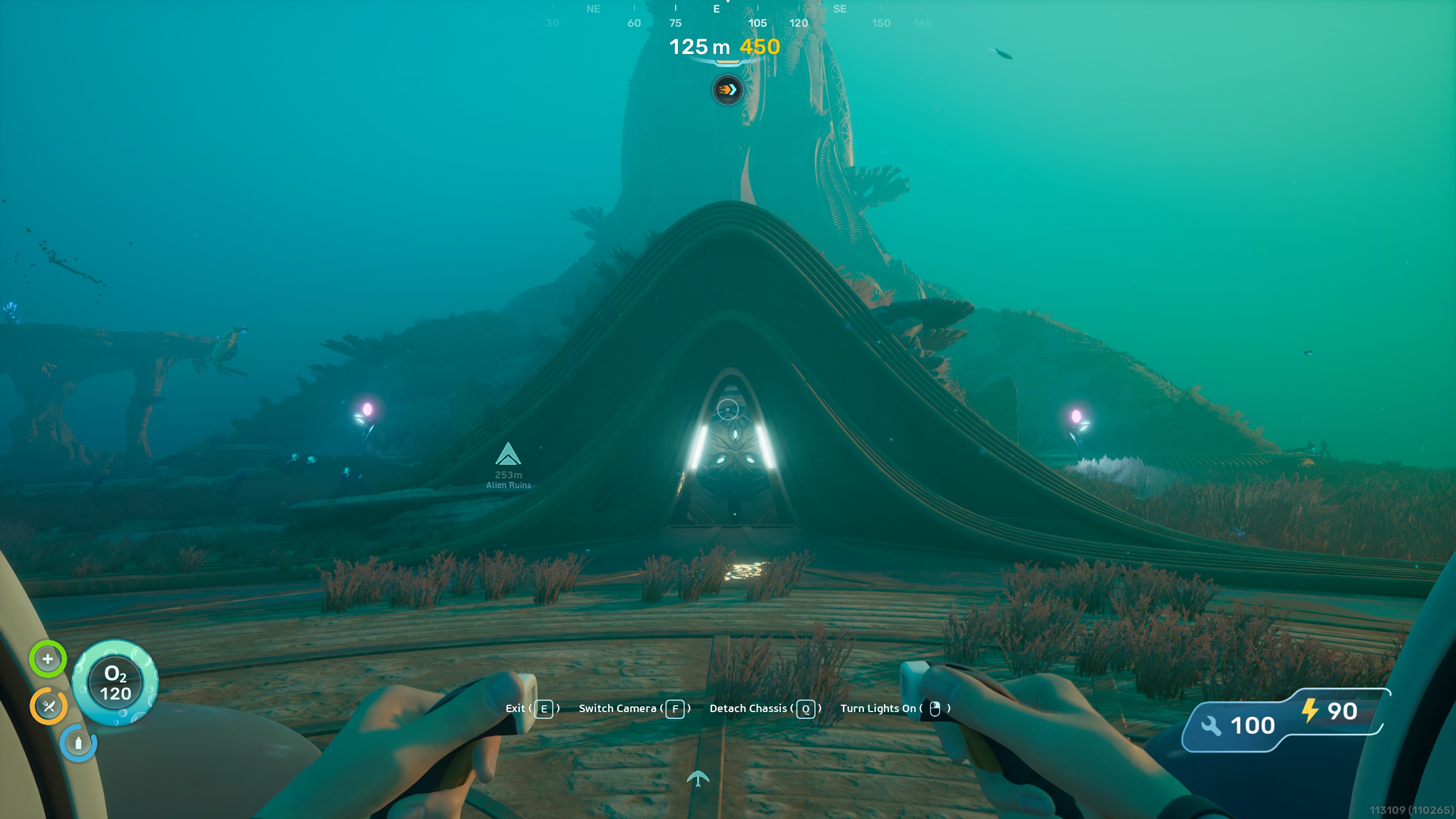
Now the area is powered up, the door to the Observatory (the tower near the Alien Ruins Research Base) has opened. If you drive around the circumference of the tower to its west side, the opposite end to the Alien Ruins, you’ll find a door you can head inside and a lever to pull. I won’t spoil what happens inside, but this is the end of the current story content for Subnautica 2’s early access.
Read the full article here